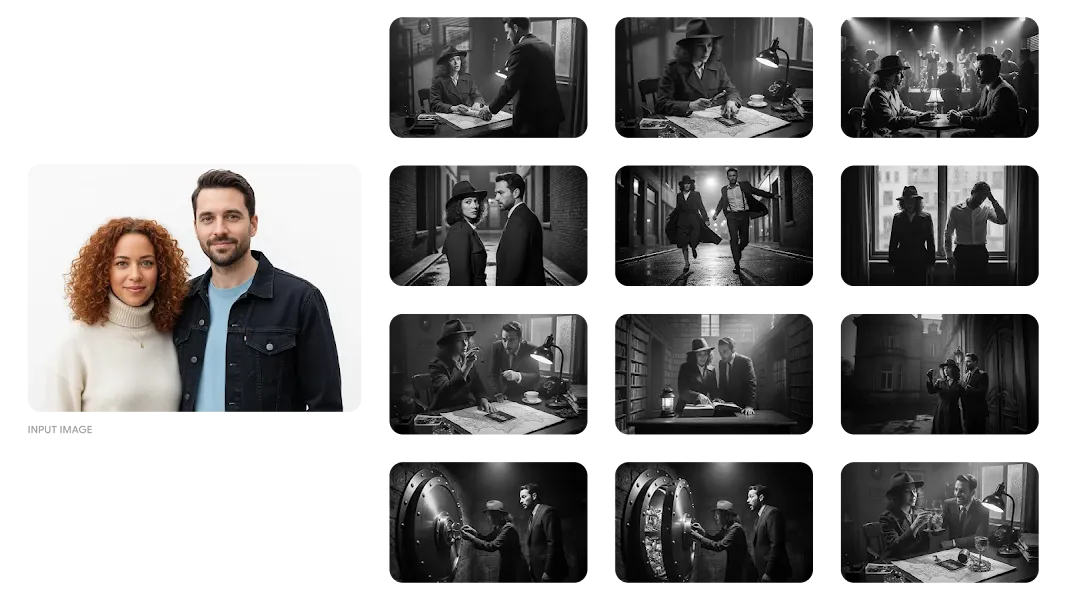
Banana AI
Balanced model for fast ideation and day-to-day visual production. A strong default for AI text to image experiments, social creatives, and iterative concept drafts.
Fast iterationGeneral purposeLow credit cost
Banana AI Image Generator →Generate images directly in this page, then switch to the best model for style control, prompt accuracy, speed, and detail. This hub is built for creators, marketers, and product teams who need practical image workflows.
Each model supports a different AI text to image and AI image to image production style. Use this section to match your creative goal, speed target, and quality requirement with the right generation engine.
Balanced model for fast ideation and day-to-day visual production. A strong default for AI text to image experiments, social creatives, and iterative concept drafts.
Higher-fidelity model with stronger instruction following and scene consistency. Ideal for premium AI image to image edits, campaign visuals, and quality-first outputs.
Upgraded generation model focused on clean details and stronger visual coherence, suitable for polished brand assets and repeatable AI text to image production.
Creative-heavy model with broad style coverage and flexible composition controls, ideal for visual experiments, stylized AI image to image work, and art direction exploration.
| Dimension | Banana AI | Nano Banana Pro | Nano Banana 2 | Seedream 5 |
|---|---|---|---|---|
| Generation speed | Fast | Medium | Medium-fast | Medium |
| Visual quality | Good | Very high | High | High |
| Style flexibility | Balanced | Precise realism | Consistent brand style | Strongly creative |
| Best for | Rapid concepts and social assets | Premium campaign visuals | Product and brand consistency | Concept art and style exploration |
Generate ad visuals, banners, and campaign concepts quickly for rapid launch cycles.
Produce product-focused visuals and lifestyle scenes for listing pages and storefront promotions.
Create platform-ready image posts with better style consistency across a content calendar.
Explore moodboards, visual directions, and references before moving into final design execution.
Maintain character identity across scenes for comics, narrative posts, and branded mascots.
Build explanatory graphics and scenario images that improve learning clarity and retention.
This guide is built for creators, marketers, and product teams who want practical, production-ready guidance for AI text to image and AI image to image workflows.
Most people using an AI image generator are not looking for a one-off demo; they need a workflow they can repeat with confidence. That is why this page is organized around two core tasks: AI text to image for first-pass concept creation, and AI image to image for controlled transformation with references. In real production work, teams move between these two modes constantly. You start with AI text to image to explore direction, then use AI image to image to refine composition, style, and product details. Keeping both modes in one hub with clear model comparison helps reduce switching friction, improve consistency, and speed up creative delivery.
For AI text to image, prompt structure matters more than prompt length. A practical format is: subject + environment + camera framing + lighting + texture + mood + constraints. For example, instead of writing “product photo,” specify “minimalist product hero shot, 3/4 angle, soft studio key light, clean white sweep background, premium matte texture, no watermark, high clarity label area.” This level of specificity improves first-pass quality and reduces costly retries. If your team is producing large batches, maintain a reusable prompt library with variables for scene, lens language, color palette, and brand tone. That approach turns AI text to image from one-off experimentation into a reliable visual pipeline.
AI image to image is the better option when you already have a strong starting frame and need controlled change rather than random discovery. Typical examples include product angle corrections, background replacement, style transfer, seasonal campaign adaptation, and character continuity. The reason AI image to image performs well in these scenarios is that the reference image anchors geometry and composition. That means the model spends less effort guessing structure and more effort applying transformation logic. For growth teams, this is crucial because visual consistency across ads, listing images, and social posts directly affects click-through performance and perceived brand quality.
Use Banana AI when speed and low-cost iteration are your top priorities. Choose Nano Banana Pro when instruction precision, fine detail, and premium finish are required for hero visuals or launch assets. Use Nano Banana 2 for stable, repeatable outputs across product lines and brand templates. Pick Seedream 5 when your project needs broader style exploration, stronger artistic variance, or more experimental art direction. This model selection framework works because it maps output goals to operational constraints: time, budget, fidelity, and creative range. Instead of asking “which model is best,” ask “which model is best for this stage of the pipeline.”
Feature lists alone are rarely enough when teams need to deliver real assets on schedule. Practical workflows require clear definitions, generation paths, model comparisons, and direct action steps. This hub combines all of those elements in one place. It explains when to use AI text to image, when to use AI image to image, and how to move between models without breaking momentum. You can test ideas immediately, open model-specific pages when deeper control is needed, and keep production decisions aligned with quality goals, budget limits, and turnaround time.
A practical publish-ready checklist is: define objective, select model, run 3-5 controlled variants, score outputs, apply image-to-image refinement, export finals, and archive winning prompts. Use objective scoring criteria such as clarity, composition balance, brand match, and conversion suitability. For team operations, save approved prompt templates by campaign type so future work starts from proven baselines. Over time, this creates a flywheel where each project improves the next one. That is the real value of combining AI text to image and AI image to image in one hub: better speed, better consistency, and better outcomes at scale.